
Original quality instead of sending size
Up to 50 MB per photo and 1 GB per video, without downsizing — the difference between looking and printing.
Comparison
A link instead of a group: full resolution instead of sending size, one place instead of a timeline, and nobody gives away their number.
Pay once, no subscription · no trackers
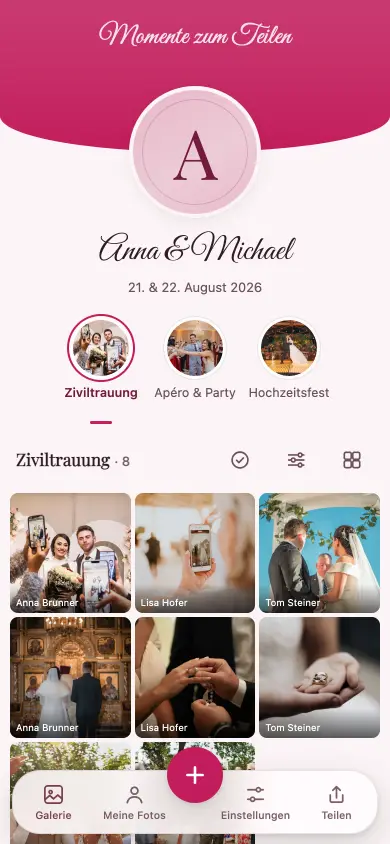
An album has none of the three problems: the original file, sorted by occasion, and a first name on upload instead of a phone number.
Up to 50 MB per photo and 1 GB per video, without downsizing — the difference between looking and printing.
An album is a place, not a history. Anyone looking for a photo in six months will find it.
There is nothing to join and nothing to disband. Anyone who wants to upload enters a first name.
The transition is gradual: the album link can go into the existing group. It only replaces the part a chat is the wrong tool for — the photos.
Everything here can be checked on your own device. How much a messenger compresses depends on version and settings — which is why no pixel count appears there.
| WhatsApp group | Migumento | |
|---|---|---|
| Photo quality | compressed for sending | Best in row: original, up to 50 MB per photo |
| Video | compressed, with a size limit | Best in row: up to 1 GB, without downsizing |
| Sorting | timeline, between messages | Best in row: album, by occasion |
| Anyone joining later | doesn’t see what came before | Best in row: sees everything |
| Phone numbers visible | to every member | Best in row: no number needed |
| Taking part | joining the group | Best in row: opening the link is enough |
| Usable without an account | no — messenger account needed | Best in row: yes |
| Live slideshow in the room | no | Best in row: yes |
| Reactions and comments | in the chat, mixed in | Best in row: on the photo, can be turned off |
| Afterwards | Best in row: the group carries on | the album expires |
| Costs | Best in row: none | collecting is free, unlocking is a one-off |
Checked on 23 August 2026 · Provider details as stated on their own websites, without guarantee · Quotations are the providers’ own wording, in the original language · Has something changed? info@migumento.com
As soon as more than a handful of people are involved, the photos will be needed later, or phone numbers shouldn’t sit in a list, the album is the better tool: original size, one place instead of a timeline, and the link can still go into the existing group. The chat is enough here:
All guests, all photos, videos included, 6 months online — and you download the originals free up to 500 MB. You pay once, only for everything above that and for 24 months of online time. No subscription.
One-off per event, no subscription, in Swiss francs. A paid event stays reachable for 24 months from the unlock, never shorter than the free window of 6 months from the day you create the event. If it’s not right, you get your money back within 60 days — Terms and conditions.
Messengers compress for sending; how much depends on app version and settings. Sent as a document, the resolution usually survives — only hardly anyone does that in a group.
No. The album link simply goes in: the chat stays for making plans, the album takes over the photos.
Not in the album. There is no member list and no phone number — just a first name on the first upload.
No account, no password, no app. The trade-off: whoever has the link is in — don’t pass on the Manage link.
Creating an album takes two minutes and costs nothing — even if the group stays.