
Photo tasks
450 photo tasks for every occasion
A catalogue of 450 tasks for 9 occasions — not a PDF to download, but a list already waiting for you when you create the album: ten suggestions ticked, the rest one tap away.
Pay once, no subscription · no trackers

450 tasks instead of 100 or 160
EventPics offers 160 photo tasks as a PDF to download, FridaySnap around 100 in a blog article. Our catalogue has 450 tasks across 9 occasions — and it isn’t sitting there for download, it’s already in your Manage view: pick the occasion, and the first ten are ticked.
When you print, every task gets its own QR code. A guest reads the card, uploads their photo — and afterwards it sits, with their name, under exactly that task.
How the tasks get to the celebration
Pick the occasion, ten tasks are already ticked
Under ‘Photo tasks’ in Manage, Migumento suggests the occasion — the list appears immediately with a starter selection of forty to sixty suggestions.
Change the ticks, add your own, or do nothing
Untick, reword a task, add your own, change the order — the starter selection also stands on its own, untouched.
Cards with a QR code per task
Every task prints its own QR code. A guest reads the card, uploads a photo — and afterwards it sits under the task with their name.
For every celebration
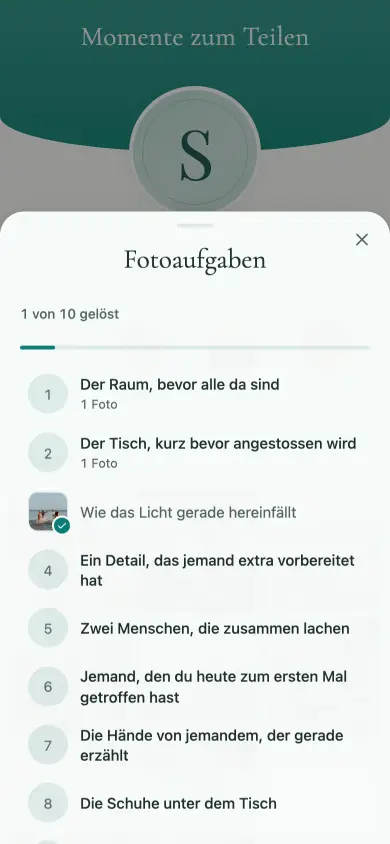
Ten tasks that work anywhere — if none of the other eight lists fits, this is the one.
For every celebration
- The room before everyone arrives
- The table just before the toast
- How the light is falling right now
- A detail somebody prepared specially
- Two people laughing together
- Someone you met for the first time today
- The hands of someone mid-story
- The shoes under the table
- The last look before you leave
- Your favourite spot this evening
and 30 more for every celebration — in the app, one tap away.
Wedding
A circle right at the front of the album row, and its rim fills with every solved task. No second place, no second gallery.

The circle in the gallery
- The empty hall before anyone arrives
- Two hands, two new rings
- The flowers up close
- Two generations in one photo
- The person who organised the most today
- The longest hug of the day
- The couple when they think nobody’s watching
- A photo with the couple — the three of you
- The most beautifully laid table in the hall
- The cake before the first cut
- The first three on the dance floor
- The very last photo of the night
and 48 more for weddings — in the app, one tap away.
Birthday & party
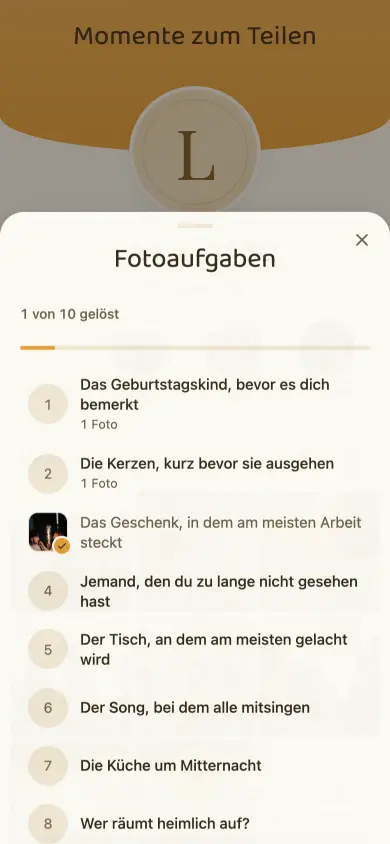
One tap on the circle and the list is there: what’s open, what someone has already solved, and how far along you are.
The list, tapped open
- The birthday girl or boy, before they notice you
- The candles, just before they go out
- The present that took the most work
- Someone you haven’t seen for far too long
- The table with the most laughter
- The song everyone sings along to
- The kitchen at midnight
- Who’s secretly tidying up?
- One photo with genuinely everyone in it
- The birthday girl or boy at the end of the night
and 40 more for birthdays & parties — in the app, one tap away.
Children’s birthday & family party
Tasks children can solve themselves, without anyone posing.
- A photo in motion — blurry is allowed
- Two hands, one big and one small
- Who’s sitting on whose lap?
- All the children in one photo
- The cake before it’s cut
- The grandparents, watching
- Three generations in one photo
- The chaos after the unwrapping
- Whoever falls asleep first
- Everyone together, just before the first ones leave
and 40 more for children’s birthdays & family parties — in the app, one tap away.
Company event & Christmas party
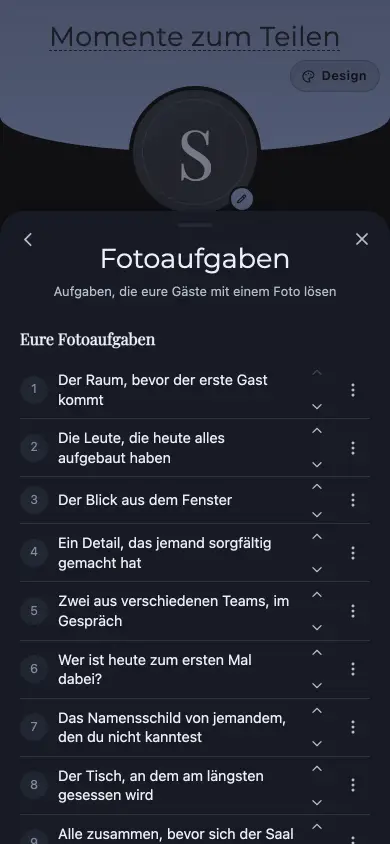
Pick the occasion, and ten tasks are already there. Reword, add, cut, reorder — or just leave them as they are.
In Manage
- The room before the first guest arrives
- The people who set everything up today
- The view out of the window
- A detail somebody made with care
- Two people from different teams, in conversation
- Who’s here for the first time today?
- The name badge of someone you didn’t know
- The table people sit at longest
- Everyone together, before the room empties
- The photo for the year-in-review
and 40 more for company events & Christmas parties — in the app, one tap away.
Club & anniversary
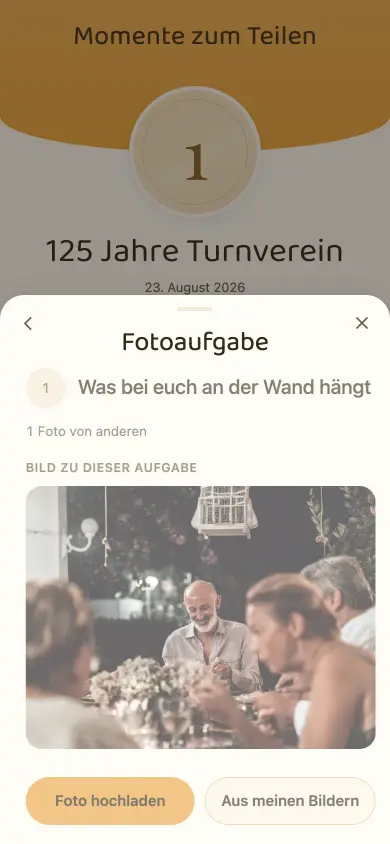
Take a photo or choose one from your own photos — both without an app, without an account, in the same browser.
A task, opened
- What’s hanging on your wall
- Your clubhouse from the outside
- Your club colours, somewhere in the photo
- The youngest and the oldest member, together
- Who’s been a member longest?
- The committee, unposed
- The hands that pitched in today
- The thing you’re actually celebrating today
- The group photo for the club history
- Everyone who came today
and 40 more for clubs & anniversaries — in the app, one tap away.
School, graduation & camp
For school camps and graduations. 35 of the 50 tasks manage without a single face.
- Your classroom, empty
- The blackboard, exactly as it looks today
- The view from your window
- What’s at the very bottom of your bag
- Your shoes, all in a row
- Two who’ve sat next to each other since year one
- The moment everyone laughs at once
- All the hands in one photo
- The class photo you take yourselves
- A photo you’ll look at in ten years
and 40 more for school, graduation & camp — in the app, one tap away.
Christening, communion & confirmation
A tick, your own photo next to it, and the bar at the top moves along. The photo stays in its album all the while.
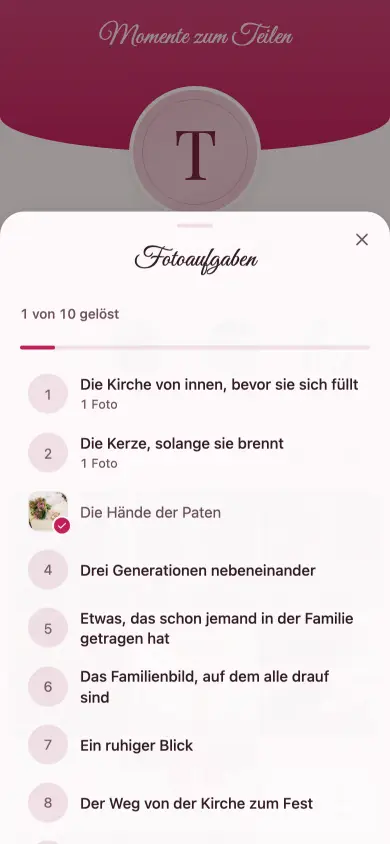
Solved
- The church from inside, before it fills
- The candle, while it’s still burning
- The godparents’ hands
- Three generations side by side
- Something someone in the family has worn before
- The family photo with everyone in it
- A quiet glance
- The walk from the church to the celebration
- The laid table at home
- The candle in the evening
and 40 more for christenings, communions & confirmations — in the app, one tap away.
Group trip & holidays
The circle travels with you, whichever album you’re in — and the tasks count across the whole trip.
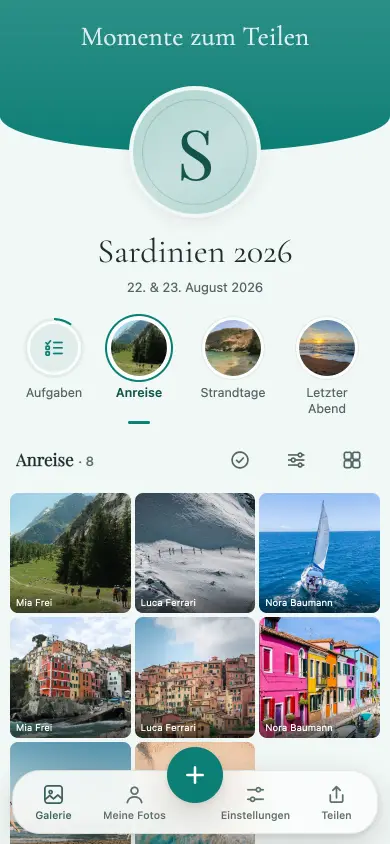
On the road
- The first morning
- The suitcase as it really looks
- Who falls asleep on the way?
- The view you stopped for
- The path, the road, the rails
- A sign you can’t read
- What you ate every day
- The whole group in a mirror
- The last evening
- The one photo you’ll show at home
and 40 more for group trips & holidays — in the app, one tap away.
Collecting is free. So is keeping up to 500 MB.
All guests, all photos, videos included, 6 months online — and you download the originals free up to 500 MB. You pay once, only for everything above that and for 24 months of online time. No subscription.
- Smallup to 5 GB · ~1,250 photosCHF 19.00
- Largeup to 20 GB · ~5,000 photosCHF 29.00
- Unlimitedno limit · as many as you likeCHF 49.00
One-off per event, no subscription, in Swiss francs. A paid event stays reachable for 24 months from the unlock, never shorter than the free window of 6 months from the day you create the event. If it’s not right, you get your money back within 60 days — Terms and conditions.
Common questions
Does a guest have to install an app for this?
No. Scanning the QR code or tapping the task circle in the gallery is enough — uploading happens in the same browser as any other photo.
Can we write our own tasks?
Yes. Beyond the starter selection, any task can be unticked, reworded or newly added.
Do the photos end up in a separate gallery?
No. A photo that solves a task stays in its album — the task sits as a line next to it; no second gallery appears.
How many photos can one task get?
You decide: one from each guest (the default), a fixed number in total, or as many as people like — set when you create the task.
Keep reading
- Collect wedding photos from guestsFrom the QR code on the table to the download in original quality.
- Wedding photo apps comparedAll providers side by side, feature by feature.
- Birthday and partyFrom a child’s party to a milestone birthday.
- Company event and Christmas partyThe same question in a work setting.
Put together the tasks for your celebration
Setting up takes two minutes, and the starter selection is there straight away. Whether you print cards, you decide afterwards.