
For every event
Free
For the small, lovely moments.
£0
free, no subscription
- 400 MBStorage
- 6 monthsAccess to your event
- Header with our logo and nameDesign it with the ‘Unlimited’ planMigumento
Photo tasks
A catalogue of 450 tasks for 9 occasions — not a PDF to download, but a list in Manage: pick them, reword them, add your own.
Free, no subscription
The cake, the couple, your own table — and nobody has the grandfather by the window. One task on the table sends eighty people in eighty directions, and that is exactly why 450 of them are sitting in Manage, sorted by occasion.
Every task gets its own QR code when it is printed. A guest reads the card, uploads their photo — and it then stands under exactly that task, with their name on it.
For comparison: EventPics offers 160 photo tasks as a PDF download, FridaySnap around 100 in a blog article. The difference is less the number than the place — a PDF is something somebody has to type out, these 9 occasions are in Manage.
Under ‘Photo tasks’ in Manage the catalogue is sorted by occasion — pick what fits your celebration.
Any task can be reworded or removed, you can add your own — and you can change the order whenever you like.
Every task prints its own QR code. A guest reads the card, uploads a photo — and afterwards it sits under the task with their name.
Ten tasks that work anywhere — if none of the other eight lists fits, this is the one.
For every celebration
and 30 more for every celebration — in the app, one tap away.
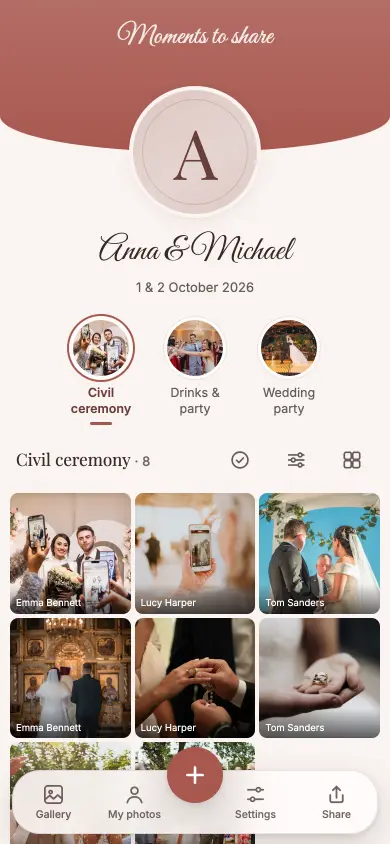
A circle right at the front of the album row, and its rim fills with every solved task. No second place, no second gallery.
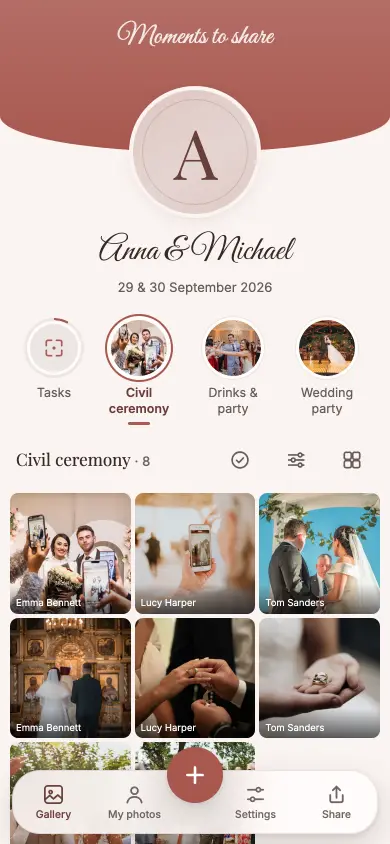
The circle in the gallery
and 48 more for weddings — in the app, one tap away.
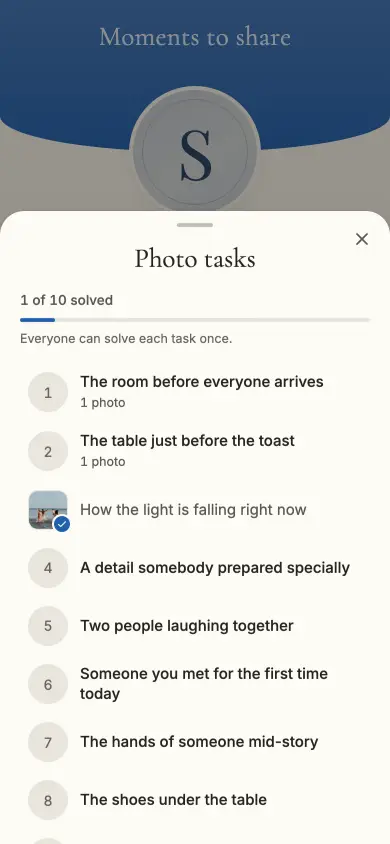
One tap on the circle and the list is there: what’s open, what someone has already solved, and how far along you are.
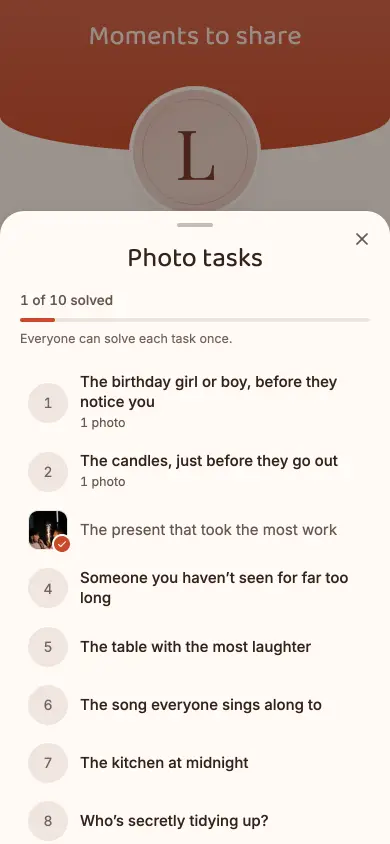
The list, tapped open
and 40 more for birthdays & parties — in the app, one tap away.
Tasks children can solve themselves, without anyone posing.
and 40 more for children’s birthdays & family parties — in the app, one tap away.
Pick the occasion, pick the tasks. Reword, add, reorder — or open the full catalogue for that occasion.
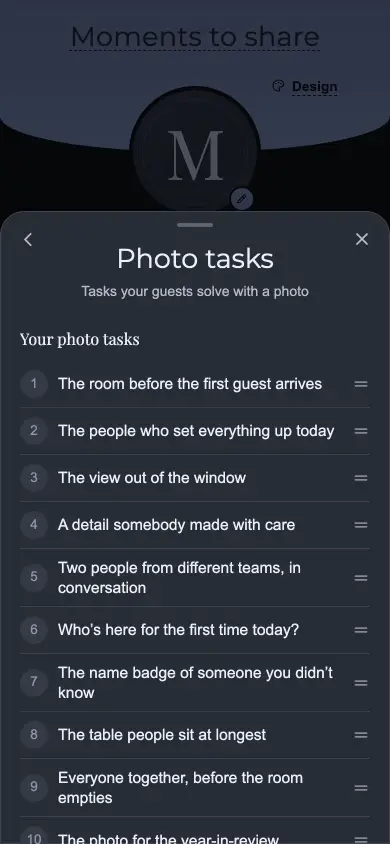
In Manage
and 40 more for company events & Christmas parties — in the app, one tap away.
Take a photo or choose one from your own photos — both without an app, without an account, in the same browser.
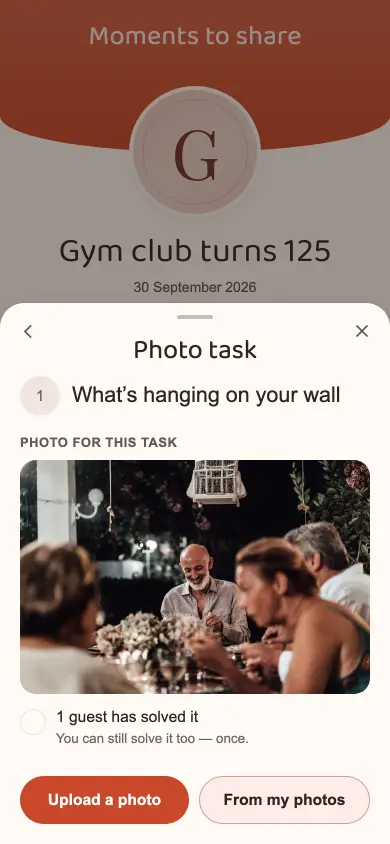
A task, opened
and 40 more for clubs & anniversaries — in the app, one tap away.
For school camps and graduations. 35 of the 50 tasks manage without a single face.
and 40 more for school, graduation & camp — in the app, one tap away.
A tick, your own photo next to it, and the bar at the top moves along. The photo stays in its album all the while.
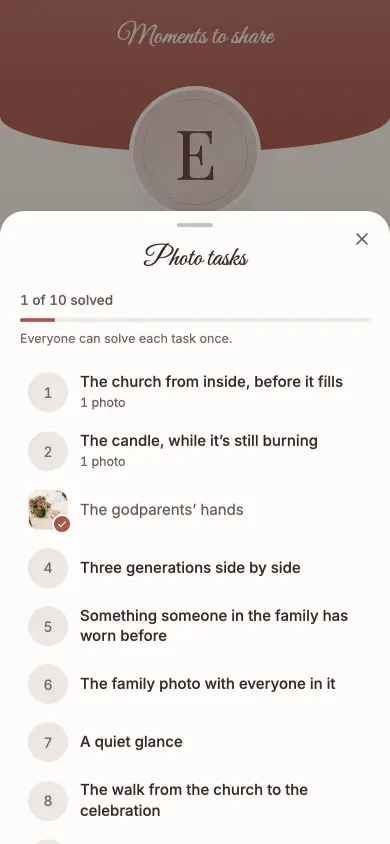
Solved
and 40 more for christenings, communions & confirmations — in the app, one tap away.
The circle travels with you, whichever album you’re in — and the tasks count across the whole trip.
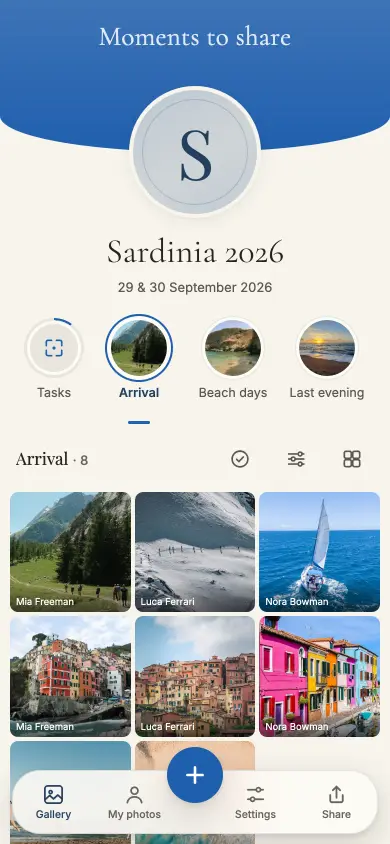
On the road
and 40 more for group trips & holidays — in the app, one tap away.
The free plan is not a trial run: all guests, all photos, all videos, the Live Wall — and up to 400 MB of event size you download the originals too, for 6 months. For bigger celebrations there are one-off plans with 12 or 24 months from the unlock. No subscription.
For every event
For the small, lovely moments.
£0
free, no subscription
For special occasions
Special days deserve more room.
£17
one-off, per event
Our recommendation
For your big day. And every moment of it.
£44
one-off, per event
Every plan has every feature. Collect, share and enjoy it together.
Prices in GBP. Outside this currency area, Stripe converts at checkout using the day’s rate. A paid event stays reachable for 12 or 24 months from the unlock, depending on the plan, never shorter than the free window of 6 months from the day you create the event. Extending gives you the plan’s months again, as often as you like. If it’s not right, you get your money back within 60 days — Terms and conditions.
No. Scanning the QR code or tapping the task circle in the gallery is enough — uploading happens in the same browser as any other photo.
Yes. Any task in the catalogue can be reworded or removed, and you can add your own.
No. A photo that solves a task stays in its album — the task sits as a line next to it; no second gallery appears.
You decide: one from each guest (the default), a fixed number in total, or as many as people like — set when you create the task.
Setting up takes two minutes, and the catalogue is there in Manage. Whether you print cards, you decide afterwards.