%22%3E%3Crect%20x=%22152%22%20y=%22198%22%20width=%22208%22%20height=%22156%22%20rx=%2240%22%20fill=%22white%22%20stroke=%22black%22%20stroke-width=%2212%22/%3E%3C/g%3E%3Cg%20transform=%22rotate(16%20256%20454)%22%3E%3Crect%20x=%22152%22%20y=%22198%22%20width=%22208%22%20height=%22156%22%20rx=%2240%22%20fill=%22white%22%20stroke=%22black%22%20stroke-width=%2212%22/%3E%3C/g%3E%3Crect%20x=%22152%22%20y=%22198%22%20width=%22208%22%20height=%22156%22%20rx=%2240%22%20fill=%22white%22%20stroke=%22black%22%20stroke-width=%2212%22/%3E%3C/mask%3E%3Cg%20mask=%22url(%23k1eHell)%22%3E%3Cg%20transform=%22rotate(-16%20256%20454)%22%3E%3Crect%20x=%22152%22%20y=%22198%22%20width=%22208%22%20height=%22156%22%20rx=%2240%22%20fill=%22%230FA79C%22/%3E%3C/g%3E%3Cg%20transform=%22rotate(16%20256%20454)%22%3E%3Crect%20x=%22152%22%20y=%22198%22%20width=%22208%22%20height=%22156%22%20rx=%2240%22%20fill=%22%23E9A23B%22/%3E%3C/g%3E%3Crect%20x=%22152%22%20y=%22198%22%20width=%22208%22%20height=%22156%22%20rx=%2240%22%20fill=%22%23C21C5C%22/%3E%3C/g%3E%3Ccircle%20cx=%22256%22%20cy=%22276%22%20r=%2248%22%20fill=%22%23FAF6F2%22/%3E%3Ccircle%20cx=%22256%22%20cy=%22276%22%20r=%2224%22%20fill=%22%23C21C5C%22/%3E%3Ccircle%20cx=%22248%22%20cy=%22268%22%20r=%227%22%20fill=%22%23FAF6F2%22/%3E%3Cg%20transform=%22translate(341%20159)%20scale(0.6)%22%3E%3Cpath%20d=%22M0%20-58%20Q14.5%20-14.5%2058%200%20Q14.5%2014.5%200%2058%20Q-14.5%2014.5%20-58%200%20Q-14.5%20-14.5%200%20-58%20Z%22%20fill=%22%23E9A23B%22/%3E%3C/g%3E%3C/svg%3E)
For every event
Free
For the small, lovely moments.
£0
free, no subscription
- 400 MBStorage
- 6 monthsAccess to your event
- Header with our logo and nameDesign it with the ‘Unlimited’ planMigumento
Your guests scan the QR code, take photos and videos on their own camera and upload it all straight to the album — in original quality, even days later.
Beyond 400 MB there are one-off plans for every size of event.


Tap your occasion — colours, font and preview change straight away.
Emma & James Leah turns 30 Summer party 2026 Sardinia 2026
12–13 September 4 July 21 August 2–3 June
All the features, no sign-up.
Your QR code photo album runs in the browser: scan, open, upload — at the celebration and long after.
Scan
Open the QR code or the link — that’s all it takes.
First name
So you can see who each photo came from.
Upload
From your own camera roll, in full quality.
Uploading
Every photo is checked before it uploads — the guest decides.
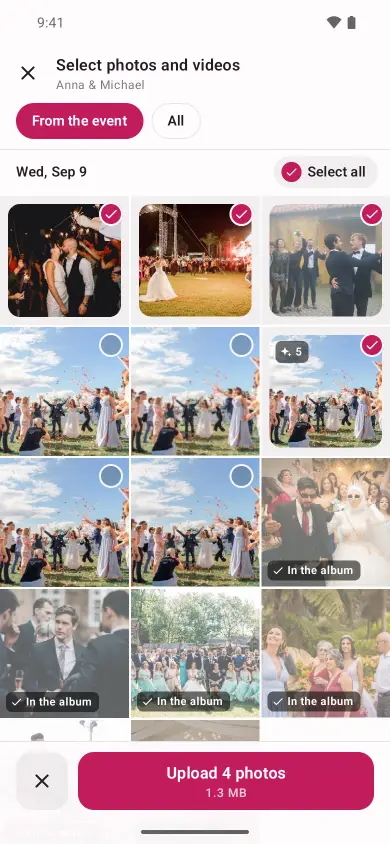
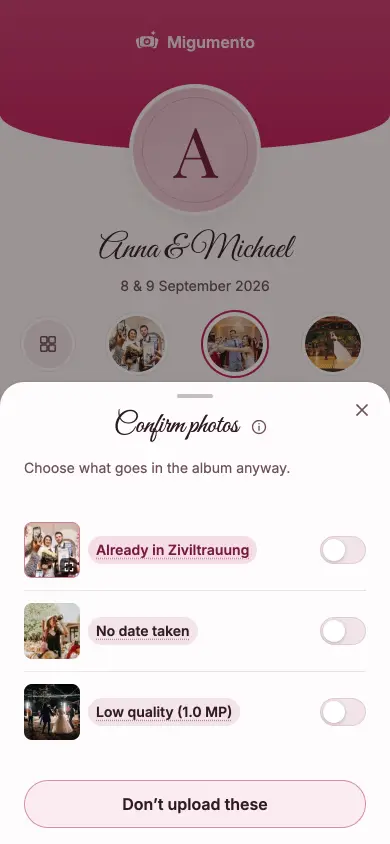
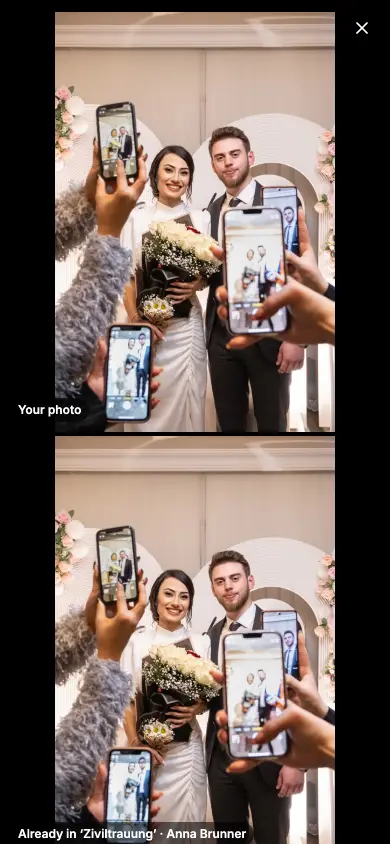
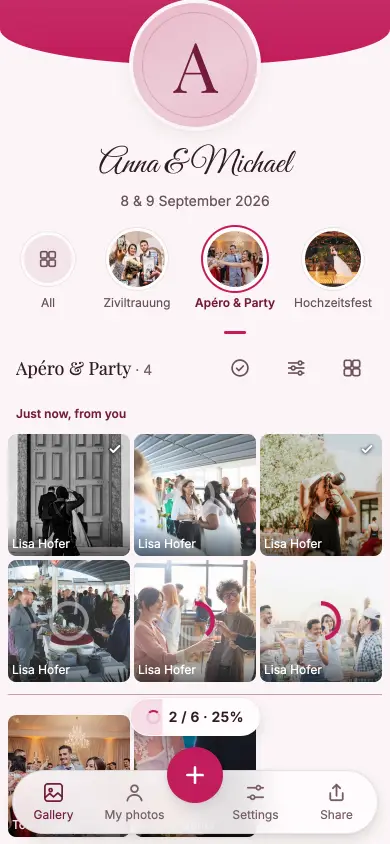
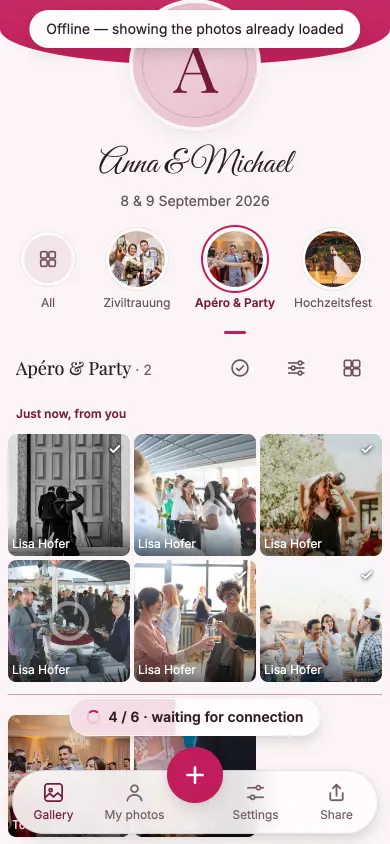
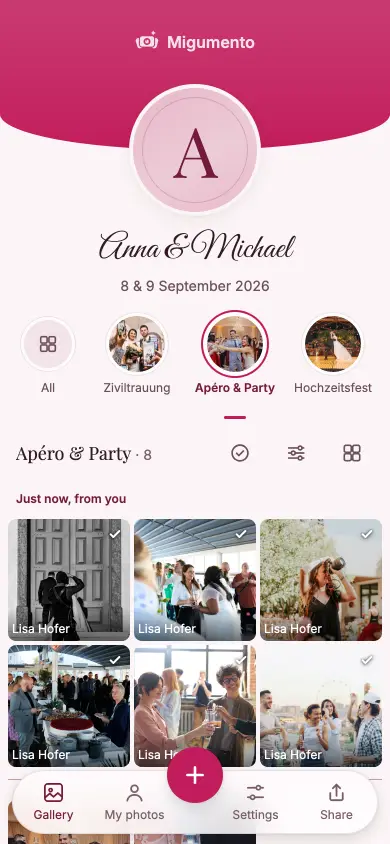
In the album
An album that answers back: a mark and a few words on every photo — from the people who were there. And the star collects a private list nobody else can see.
Sticker
Bold, with a fine outline — reads well on any photo.
Atelier
Flat shapes in the warm tones of the celebration.
Emoji
Every device draws them itself — your guests see them a little differently than you do.
You pick the style under ‘Design’ — and reactions and comments can be switched off per album or altogether.
Join in
Pick the occasion and ten tasks are already ticked — your guests solve them right in the album.
Photo tasks
Occasion
Your photo tasks
Add tasks
Before it starts
Two hands, two new rings
No app · no account
For every occasion
You pick the colours, font and cover photos — and you decide what stays visible.
Design
Everything changes instantly — look above.
Palette
SystemLightDarkFont
And for the canvas: slideshow or Live Wall — every new photo appears on the projector by itself.
The app
Guests and hosts need no app and no account: everything works in the browser. It’s best with the app and an account.
Every photo arrives unchanged, with place, time taken and every camera detail.
During the event, the app lets you know as soon as other guests upload photos.
Nothing shared yet? The app reminds you shortly before the end and in the days after.
Events you’ve already opened in the browser come across to the app.
From a wedding to a birthday in one tap, no hunting for links.
The app asks if you want the new photo in the album.
With an account, your events are on every device, in the browser and in the app. Sign in with Google, Apple or email.
Create an accountExport
Every photo and video into your own cloud or onto your computer — in original quality.
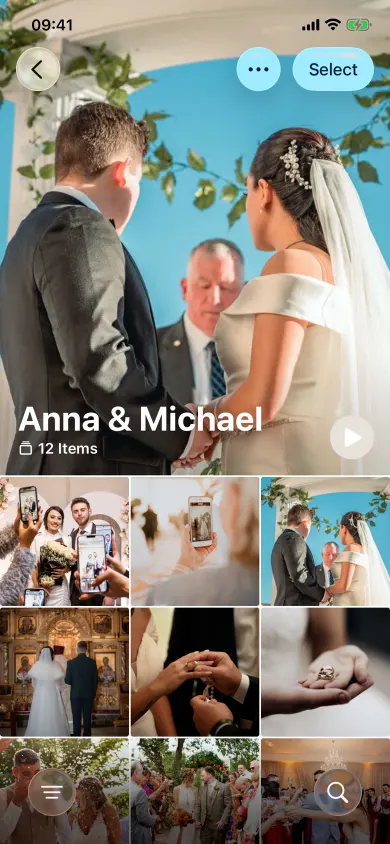
The difference
Many event photo apps shrink the photos. Migumento collects what was actually photographed.
Pricing
Collect your photos and videos for free. Choose more room, more time and a look that’s all your own.
For every event
For the small, lovely moments.
£0
free, no subscription
For special occasions
Special days deserve more room.
£17
one-off, per event
Our recommendation
For your big day. And every moment of it.
£44
one-off, per event
Every plan has every feature. Collect, share and enjoy it together.
Prices in GBP. Outside this currency area, Stripe converts at checkout using the day’s rate. If an event outgrows its plan, you move up to the next one and pay only the difference. A one-off per event, no subscription. If it isn’t right, you get your money back within 60 days of the payment — Terms and conditions.
No. They scan the QR code or open the link — the album runs in the browser they already have. On iPhone, Android, tablet and computer. Anyone who likes can get our app for iPhone or Android, with notifications about new photos and a reminder to share.
No — not for you, and not for your guests. With the first photo we ask for a first name, so you can see who it came from.
No. Every photo and every video arrives exactly as it was taken, and we save the file unchanged. A photo can be up to 50 megabytes, a video up to one gigabyte. For your event you can set downloads of other people’s photos to leave out location and device data.
Yes, at no extra cost and with no add-on — including the long video of the first dance. For each album you decide whether videos are allowed there.
The upload waits and tries again by itself. If the album gets closed in the meantime, the upload picks up next time it’s opened, exactly where it left off.
Yes. Open the canvas link on the laptop by the projector or on the TV: every new photo lands there by itself as an instant photo on the Live Wall, without anyone clicking anything. When things go quiet, it brings out older photos — and if you’d rather show one photo at a time, use the slideshow.
Yes, for as long as you like. The photos sort themselves by when they were taken — a photo from Saturday evening lands in its place, even if it doesn’t arrive until Wednesday.
Yes, if you allow it. Every photo has reactions and comments — you can switch them off for a single album or for the whole event. Switching off only hides: switch it back on and everything is there again.
You hide it or delete it, in two taps. And you can appoint moderators, who are allowed to report photos and hide them.
With a password, the guest signs in again on the new phone and has their photos back. Without a password, you send them a code — same result. That way they stay one person in the album instead of two.
That’s up to you. If you allow it, anyone can download single photos or several at once, always in full quality.
Yes. You connect your Google account, and we put every photo and video into your own Google Photos or Google Drive — in the background, so you don’t have to watch it happen. With the iPhone app, or with Safari on iPhone, iPad and Mac, you save them straight into Apple Photos, and iCloud picks them up from there. Everywhere else there’s the archive with a short guide. All routes at a glance
Without unlocking, 6 months from the day you create the event; with unlocking, 12 or 24 months from the moment you unlock, depending on the plan — never shorter than the first 6. After that the event is closed and can be removed at any time. Until then one click keeps it yours.
Then you get your money back. Within 60 days of paying, a short message saying what wasn’t right is enough — straight from your event, everything else is already filled in.
Collecting is always free: unlimited guests, videos included, all the features, 6 months online. Up to 400 MB, downloading the originals is free too. For bigger celebrations there are one-off plans — £17 for up to 5 GB and 12 months online, £44 for unlimited storage and 24 months online. No subscription.
Two details, and you’ve got both your links.
Album ‘{title}’ is ready
Go to ManageOne more step: confirm your email The confirmation link is on its way to you — along with both your links. Once you’ve confirmed, your event stays, and a lost Manage link can be replaced.
From the people building it
Migumento grows with what hosts and guests wish for. Tell us what you’re missing — we’re open to new ideas and improvements.
Thanks — it’s arrived.
We read every message ourselves, and we’ll get back to you.